VoiceOver, type size, and motion
Practice that can be heard as well as seen
Piano Together labels the things a child and a grown-up need to find: profiles, lessons, songs, keys, fingers, and the family plans. This page describes what the app does. It is not a certification.
Finger guides
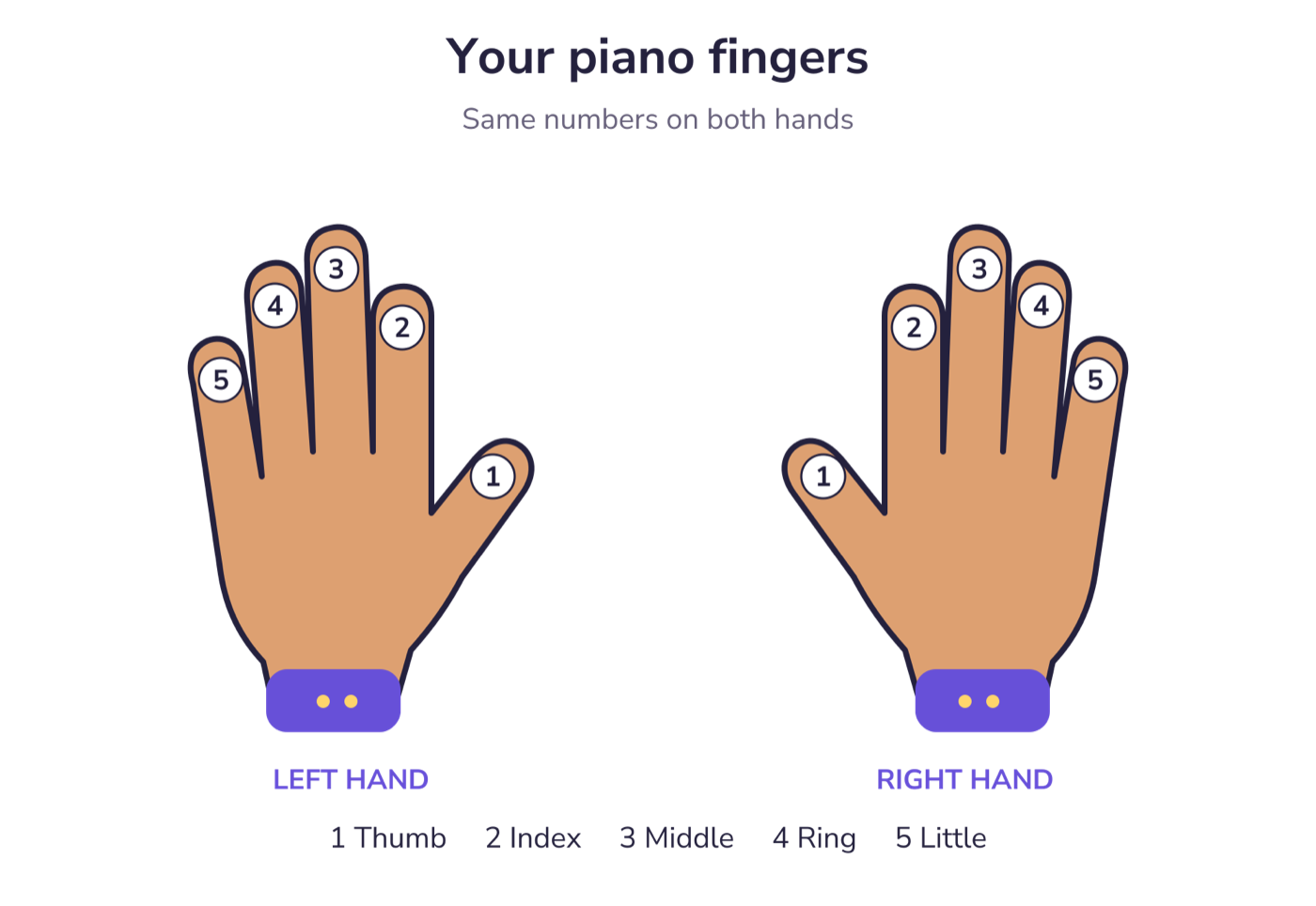
The hand picture is an illustration, not a camera. VoiceOver reads the hand and the finger together, such as “Left hand, finger 5, little finger” or “Right hand, finger 1, thumb.”
The target key is announced with its note name. A finished note can be announced as “You found” that note.
What is labeled
Lessons and songs
An open lesson or song uses its title. One that needs the family plan adds “ask a grown-up,” so a locked item is not a silent row.
Profiles
The child who is playing is marked selected. A profile that needs the subscription is announced with the nickname and “ask a grown-up.”
Rewards and history
Stickers say whether they are earned. A practice session combines its title and when it happened.
Plans
Each plan button includes the name, price, and period. The selected plan is marked. The purchase control carries the renewal terms as a hint.
System settings the app follows
- Text size. Titles, body, buttons, and captions use text styles that scale with the system type size.
- Reduce Motion. Button press animation and motion on the staff turn off when Reduce Motion is on.
- Touch size. Primary buttons are at least 52 points tall. Restore purchases is at least 44 points tall.
- Language. English and Spanish, including the spoken finger names.
The grown-up check
The parent area, purchases, and profile editing sit behind a short math question. The prompt is the field’s label. A wrong answer is announced. Child practice stays available from “Back to child practice.”
This website
Pages use one heading order, a skip link, visible keyboard focus, and text alternatives on the pictures. The plan comparison is a table with a caption. If something on this site is hard to use, write to the address on the support page.